Free Accounts Receivable Aging Report Template for Excel
Age open invoices by due date in Excel. Switch from September 30 to October 1 to see a $400 payment reduce a $1,000 invoice to $600.
.xlsx · No signup required · Includes a worked example
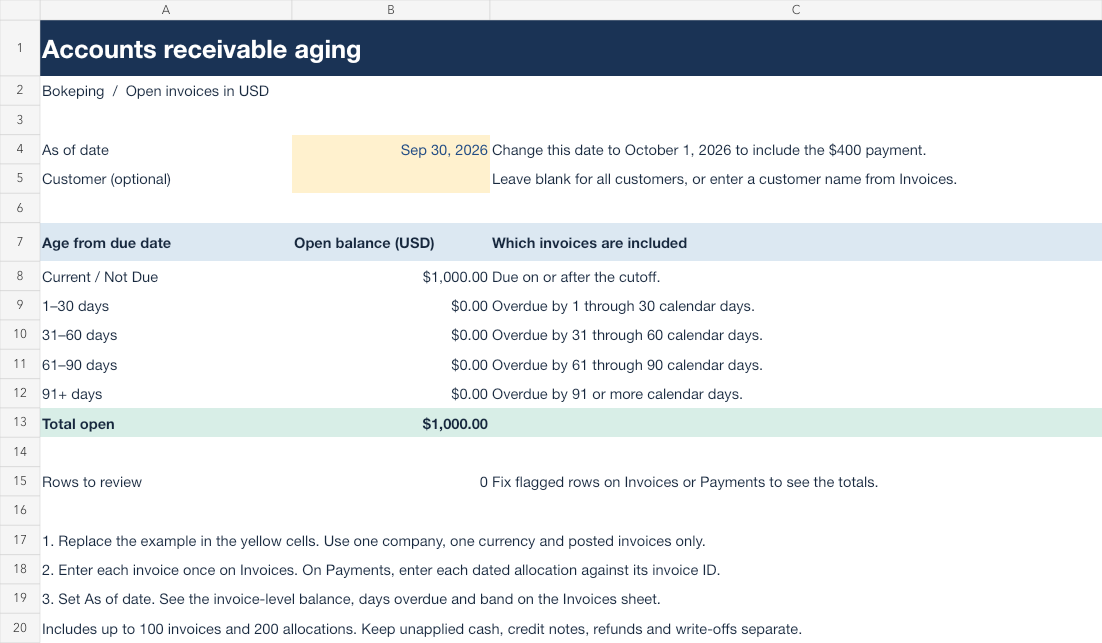
Accounts receivable aging workbook
Enter posted USD invoices and their applied payments. Choose a cutoff date to calculate open balances in five aging buckets.
- On Invoices, enter a unique invoice ID, customer, invoice date, due date and original amount. Include invoices paid after the cutoff so you can reconstruct an earlier balance.
- On Payments, enter each amount applied to an invoice with its invoice ID and payment date. Multiple payments against one invoice get separate rows. For a split receipt, enter each invoice’s share.
- On Aging, change As of date (B4). Leave Customer (B5) blank for everyone or enter one customer name. An invoice enters the report on its invoice date. Its due date determines the aging bucket. Check Rows to review if the totals are blank.
The template holds 100 invoices and 200 allocations for one company in USD. Replace the example rows before using your own figures. Keep unapplied cash, credit notes, refunds, write-offs and currency conversions separate.
Download the Excel templateOne invoice, two cutoff dates
Northline Studio Demo issued a $1,000 invoice to Alder Design Co. on September 1, due September 30. The customer paid $400 on October 1. Compare the two dates in the workbook and in the actual Bokeping reports from this demo company.
| As of | Paid by cutoff | Open | Aging bucket |
|---|---|---|---|
| September 30 | $0 | $1,000 | Current / Not Due |
| October 1 | $400 | $600 | 1–30 days |
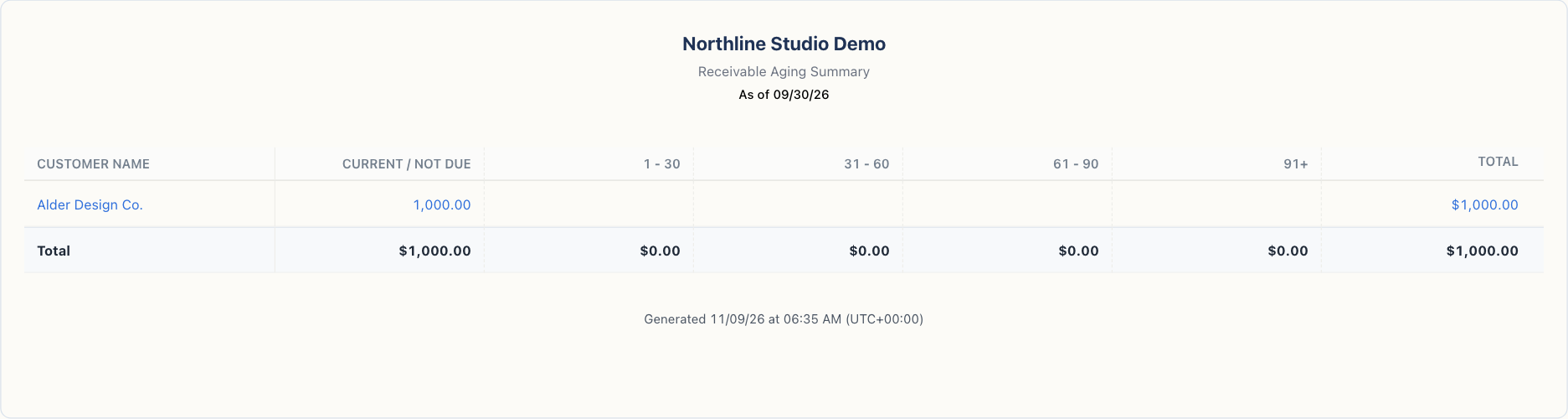
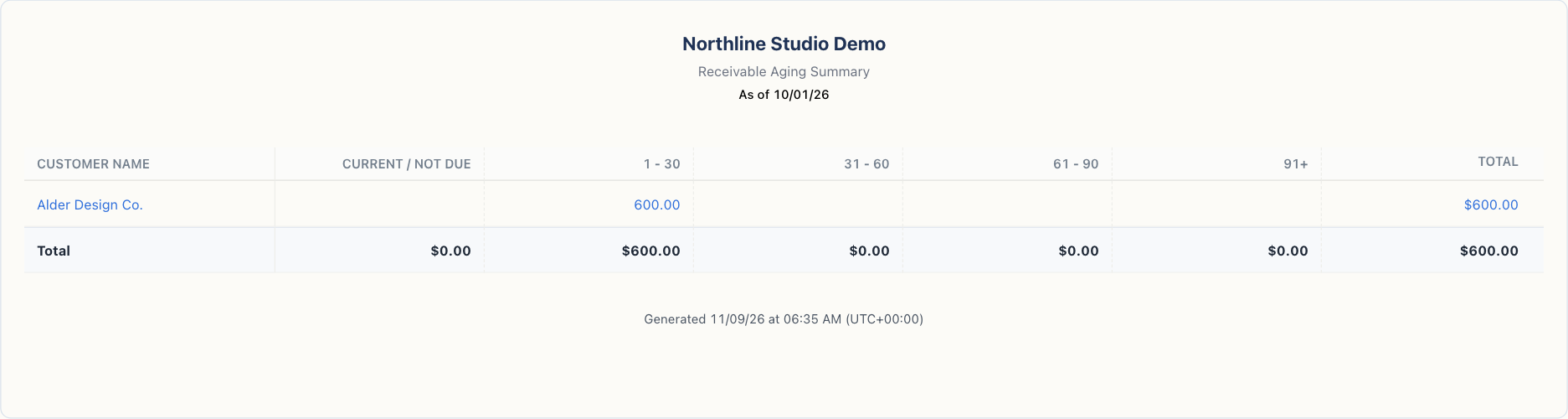
Run the same report for your customers
In Bokeping, open Reports → A/R Aging Summary. Set As Date to the workbook cutoff. Select the same customers and use four 30-day overdue periods. Invoices due on the cutoff are current. The overdue periods start at 1, 31, 61 and 91 days.
Compare the open invoice rows first. An unapplied customer payment can appear separately in the system report. For credits or a difference from the Balance Sheet, see the A/R Aging Summary guide.
To run your own report, create a company, record your invoices and apply any payments. You need access to that company and permission to view the report.
Create my aging report in BokepingUpdated
FAQs