 Bokeping
Run and reconcile Inventory Valuation
Check stock quantities and carrying cost, drill into item movements, and compare with the ledger.
In BokepingReports → Inventory Valuation
Inventory Valuation measures the cost carried in stock at a cutoff date. It is not the retail selling value, a physical count, or the amount paid to suppliers during a month.
Run the report
Section titled “Run the report”- Open Reports → Inventory Valuation and set As Date.
- Open More actions to review the item filter and selected items. Options include all items, items with transactions, nonzero balances, and active items.
- If enabled for your company, review branch/warehouse selections and Group by warehouse. Clear location filters when comparing with a company-wide account total.
- Read the report date and scope. Use Refresh report data after source changes.
- Review each item’s quantity, cost, and total value. Open a linked item or amount to inspect Inventory Item Details and confirm the cutoff there.
- Export or print only after checking that the selection includes the stock you intend to reconcile.
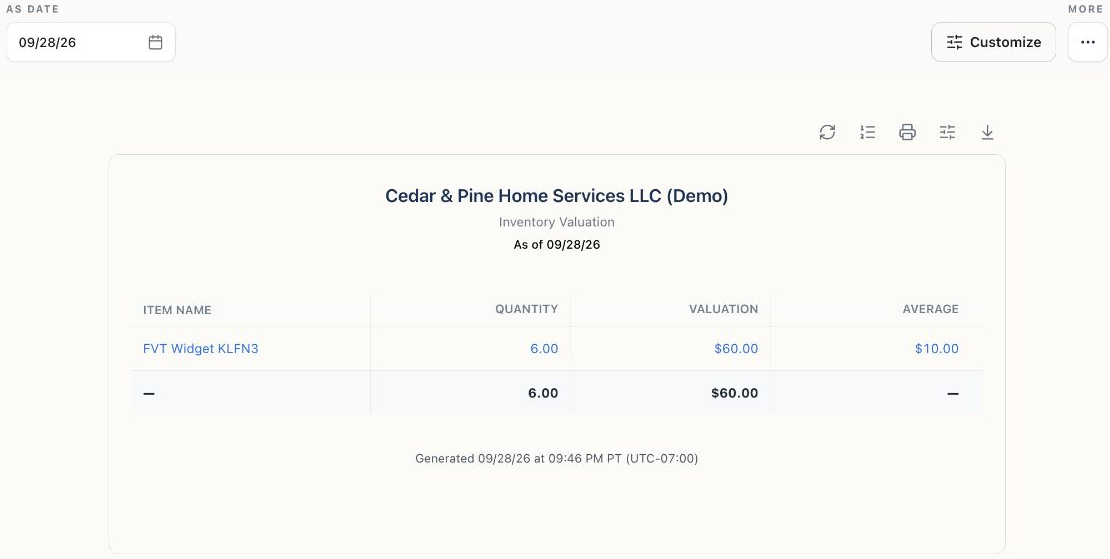
Read-only report snapshot of an existing Demo test item. This illustrates the report columns, not a completed reconciliation to the stock count or ledger.
Understand the amount
Section titled “Understand the amount”If 15 units remain at an applicable carrying cost of $10 each, their value is $150, even if the selling price is $25. Under FIFO, multiple cost layers can contribute to that $150; a displayed average/unit amount is not a claim that every layer has that cost.
See FIFO, moving average, and cost scope before comparing locations or changing accounting assumptions.
Reconcile in two stages
Section titled “Reconcile in two stages”| Check | Compare | Common causes of differences |
|---|---|---|
| Quantity | Item movements and a physical count at the same cutoff and location. | Missing purchases/sales, returns, transfers, duplicate entries, drafts, or a count taken at a different time. |
| Value | Valuation total and the relevant inventory asset accounts in the ledger at the same cutoff. | Direct journals, wrong item accounts, opening-stock duplication, cost corrections, backdated activity, or different report filters. |
If items use multiple inventory asset accounts, compare the combined relevant accounts rather than only one default account. Service and non-inventory items are not inventory stock merely because they have a purchase cost.
Investigate a discrepancy
Section titled “Investigate a discrepancy”Pick one affected item and follow its opening balance, purchases, sales, returns, and adjustments in date order. For warehouse differences, check both ends of a transfer and the company’s cost scope. A backdated change may affect later costing, so verify the resulting reports after the correction.
Do not post a balancing journal simply to force the ledger to equal this report: a journal alone does not repair item quantities. Use the appropriate source correction or inventory adjustment after the cause is understood.