 Bokeping
Review the 1099 Contractor Report
Check contractor details, included payments, exclusions, and year-end exports.
In BokepingReports → 1099 Contractor Report
Use this report to review contractor payment information for a selected tax year. Generating or exporting a report does not submit a return to the IRS or deliver a recipient copy.
Where to go: Reports → 1099 Contractor Report.
Prepare the vendor records
Section titled “Prepare the vendor records”In Contacts → Vendors, review Track Payments for 1099, the contractor/form classification, legal name, address, tax classification, and Tax ID against the contractor’s information. Keep the W-9 status current. Do not put a full EIN or SSN in a public screenshot or support message.
A checkbox or threshold alone does not establish the correct tax treatment. Have the person preparing your information returns review the classifications and current-year requirements.
Review the year and summary
Section titled “Review the year and summary”- Select the tax year, not merely the current month or company fiscal year.
- Read the threshold shown for that year. Do not reuse a prior year’s threshold without checking it.
- Use Summary to review contractor totals. Clear filters when a vendor seems to be missing.
- Use the available action/status filters to find missing information, then open the vendor record to correct the underlying details.
- Compare the report with actual payments. An unpaid bill is not the same as a payment made during that year.
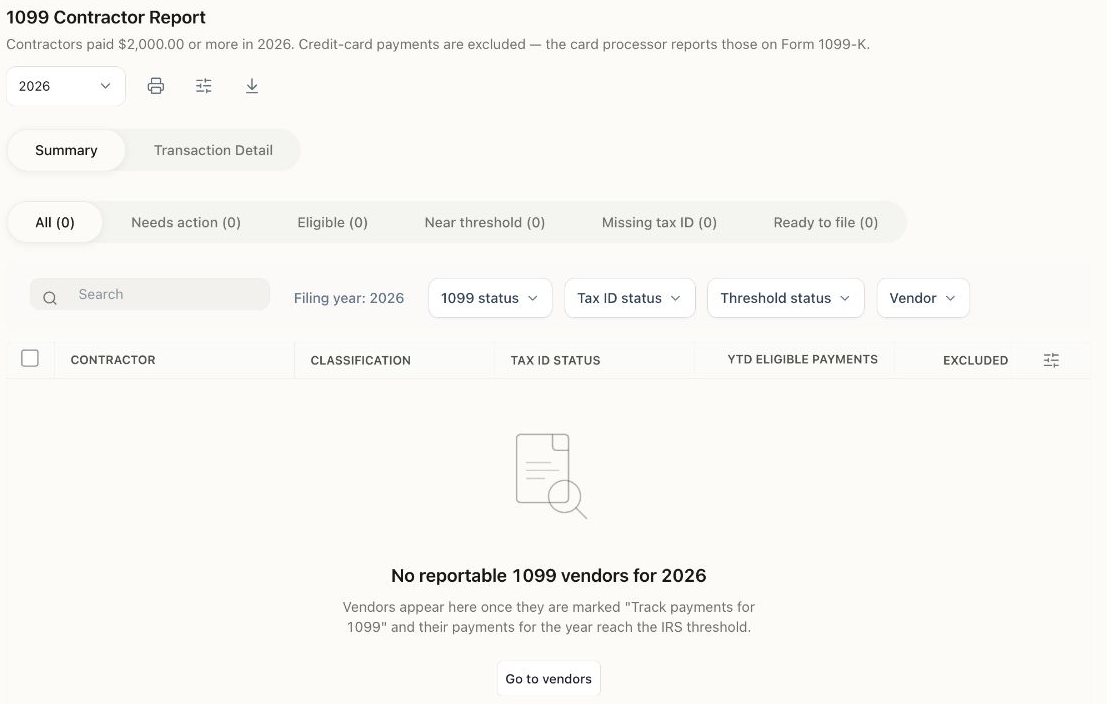
No reportable vendors are shown in this Demo view. An empty summary is not proof that all contractor information is complete.
Read the status labels carefully
Section titled “Read the status labels carefully”| Label or state | How to use it |
|---|---|
| Missing tax information | Review the vendor’s source documents and saved fields. |
| On file / Verified | These describe information recorded in Bokeping. “Verified” can reflect a received W-9 and stored Tax ID; it is not an IRS TIN-match confirmation. |
| Ready to file | A software filter for recorded information and amounts, not certification that a return is accurate or filed. |
| No vendors / no results | Check the year, filters, contractor flag, payment dates, and threshold. The current summary may omit below-threshold vendors. |
Trace the payments
Section titled “Trace the payments”Open Transaction Detail to review the dates, source documents, references, accounts, and amounts behind the report. Rows flagged Excluded — 1099-K identify payments the report separates from included contractor payments, such as credit-card payments.
For example, a contractor’s total purchases can differ from included report payments because some bills are unpaid or some payments were made by card. Do not add excluded card amounts back just to make the report equal all purchases. Investigate the payment method and actual source record first.
Export and check the output
Section titled “Export and check the output”Use the report’s available export or print controls. Confirm the company, year, totals, vendor information, and intended output before sharing it with the preparer. Treat exported contractor information as private. A PDF, spreadsheet, or status label does not establish that filing or recipient delivery occurred.
If a vendor is missing despite expected payments, compare that vendor’s payment history with the report year, contractor flag, filters, and exclusions. Keep the document references when contacting support; redact full tax identifiers.